- android-gcm-quickstart archetype (https://github.com/akquinet/android-archetypes), currently version 1.0.10-SNAPSHOT
- GCMUtils (http://gcmutils.googlecode.com/)
Start by running the android-gcm-quickstart archetype:
 mvn archetype:generate -DarchetypeGroupId=de.akquinet.android.archetypes \
 -DarchetypeArtifactId=android-gcm-quickstart -DarchetypeVersion=1.0.10-SNAPSHOT \
 -DgroupId=my.project.package -DartifactId=my-project-name -DsenderId=[my-sender-id]
Add you own project settings for groupId, artifactId and senderId. See the GCM getting started guide for information on how to get the senderId and apiKey: http://developer.android.com/google/gcm/gs.html
Configure the API Key, you can do this in three ways:
1. Add a property in the .m2/settings.xml file:

2. In the maven command, add a system property:
gcmutils:run-server -DapiKey=
3. Add the
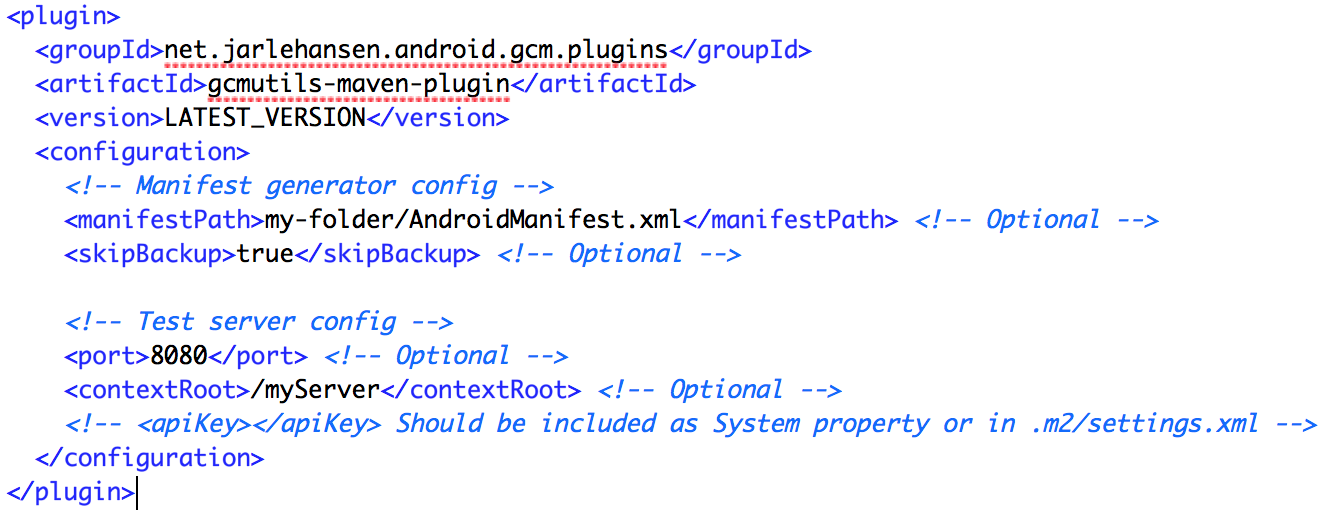
Start the test-server by running the following maven command:
mvn gcmutils:run-server
Open your browser on: http://localhost:9595
Start the main Android activity in the project and try to send a push message from the webpage to the connected device. By default the message should be shown by Logcat.

For more detailed information, see the GCMUtils webpage
